Features
Everything NetTap can show you.
91 features across 11 areas, from the first glance at Home to the last byte of a packet. All of it runs on your own box.
- 14built-in network tools
- 37ready-made packet filters
- 13alert categories
- 6ways to get alerts
01 Overview
The whole network at a glance.
Big numbers first, details on click. Every time chart opens the moment behind it.
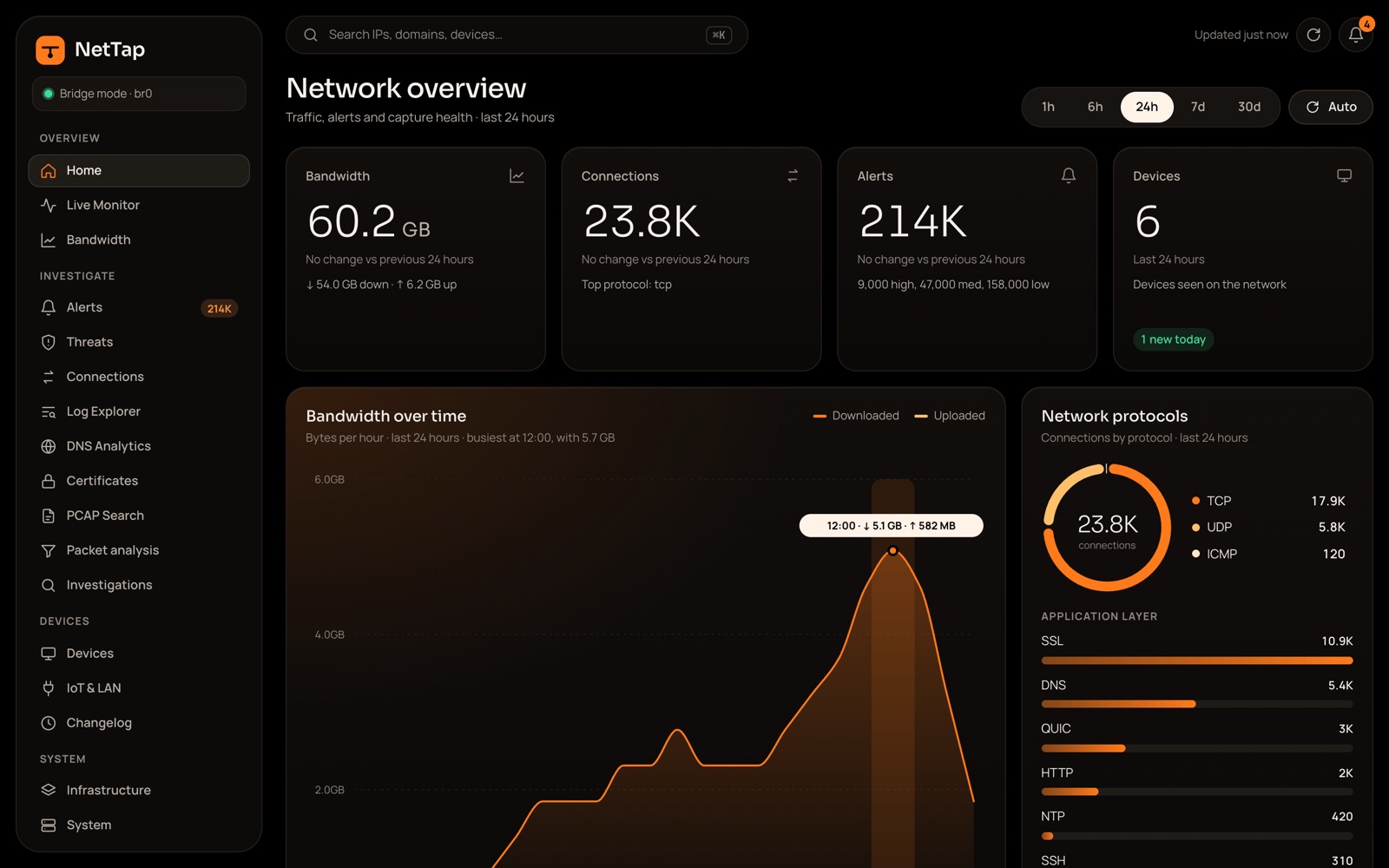
Home
Bandwidth, connections, alerts and devices, each with its trend against the previous period, from the last hour to the last 30 days.
Charts that open the moment
Click or drag across a time chart to open that window: its bandwidth, protocols, categories, alerts and new devices.
Live monitor
Connections to the world, refreshed every 3 seconds, with top talkers and a live feed you can pause and filter.
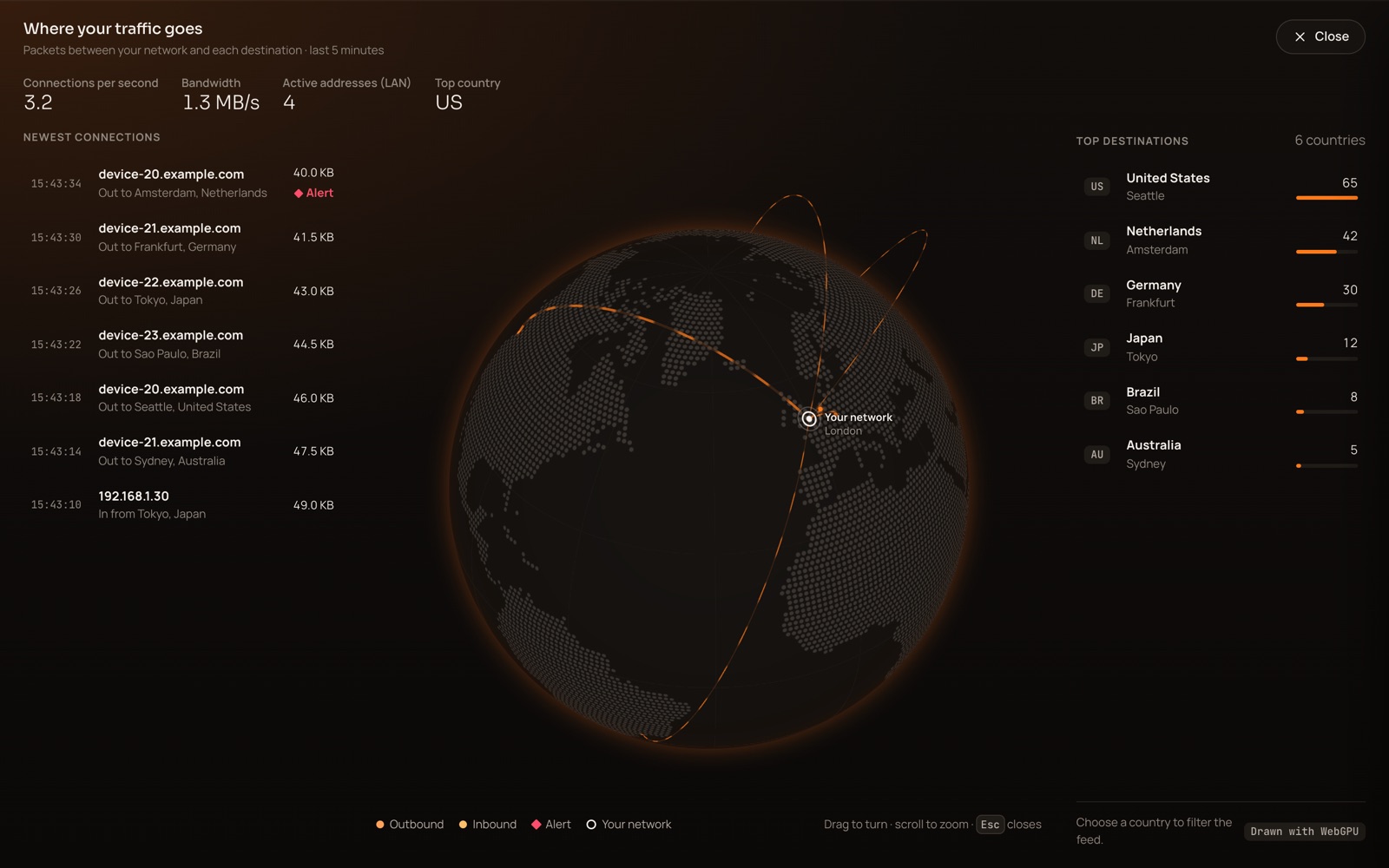
3D globe
Packets fly from your home to each country they reach. Expand it to fill the window, or switch to a flat map.
Monthly bandwidth
Internet use this month, a month-end projection, the top 10 users and the busiest hours. Traffic between your own devices is left out.
18 traffic categories
From streaming and gaming to ads and tracking, worked out from who each destination belongs to.
Capture health
Home shows how many packets the box saw, and how many it missed, over the last hour.
02 Devices
Every device, by name.
NetTap sorts the traffic by device, names what it can and lets you name the rest.
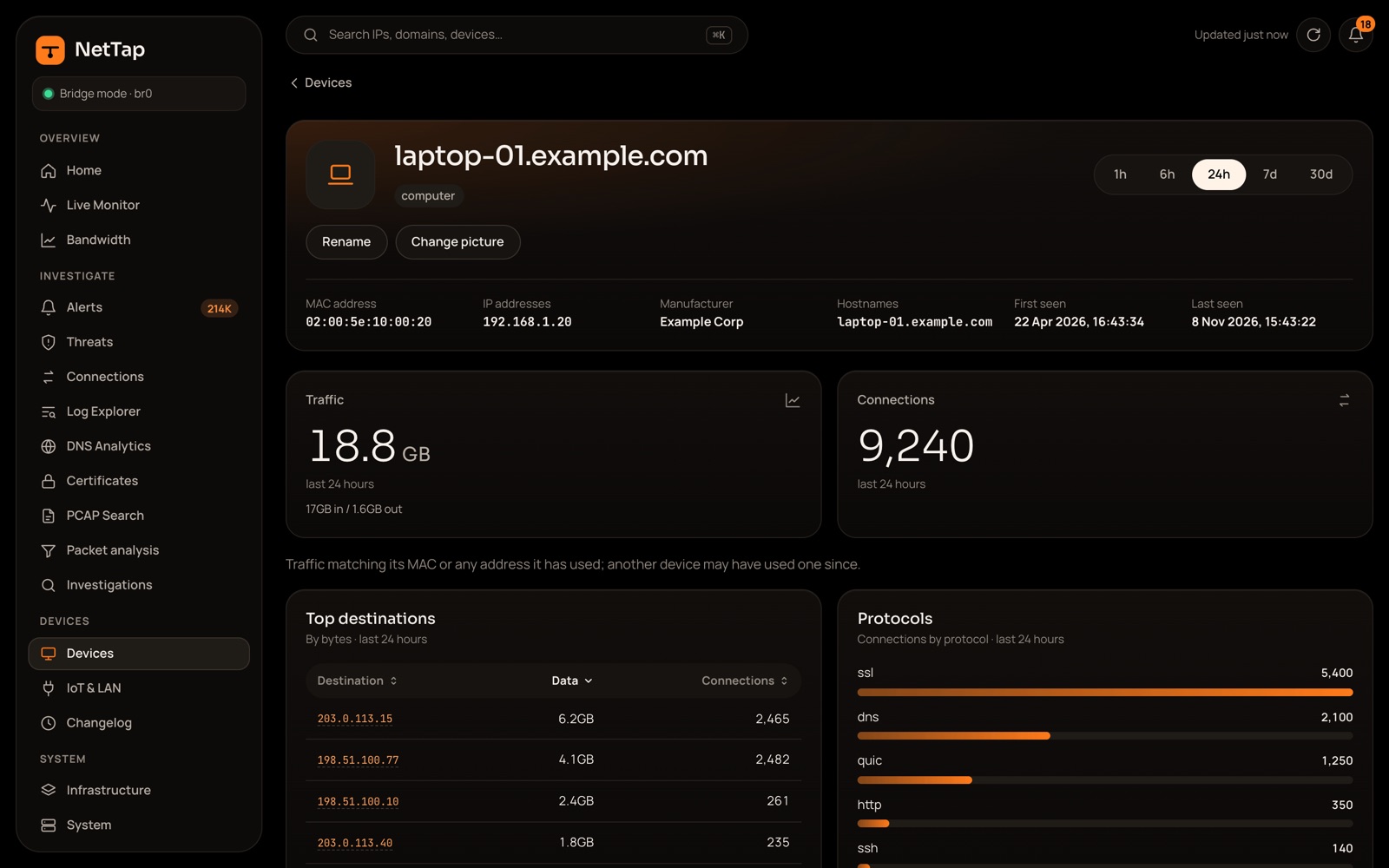
Devices by type
Computers, phones and tablets, media, IoT, infrastructure and unknown, with each device's maker, likely OS, traffic and alerts.
Names it works out itself
From UniFi aliases, DHCP hostnames and mDNS names, or failing that the maker of the network card.
Your names and pictures
Rename any device and give it one of 12 icons or your own photo. Photos are cropped in your browser, which strips their metadata.
New devices up front
Devices first seen in the last 24 hours are listed at the top, so a newcomer never slips by.
A page for every device
Addresses, maker, hostnames, first and last seen, bandwidth over time, top destinations, protocols, lookups and alerts.
Risk score
A 0 to 100 score from a device's alerts, unusual connections and upload spikes, banded from low to critical.
Live bandwidth per device Opt-in Mirror mode
Download and upload every 2 seconds, with a 5-minute chart.
Compare two periods
See which destinations a device started or stopped talking to, and which changed the most.
IoT trust score
A score and an A to F grade for each smart-home device, across privacy, security and behaviour. Checks it can't measure are left out, not guessed.
Local services
Speakers, printers, casting, hubs and file shares your devices announce on the network, in one searchable list.
Changelog
When devices joined, how much data new devices moved, and when old data was cleared.
03 Alerts and threats
Alerts you can act on.
Suricata spots it. NetTap explains it in plain English and tells you what to do next.
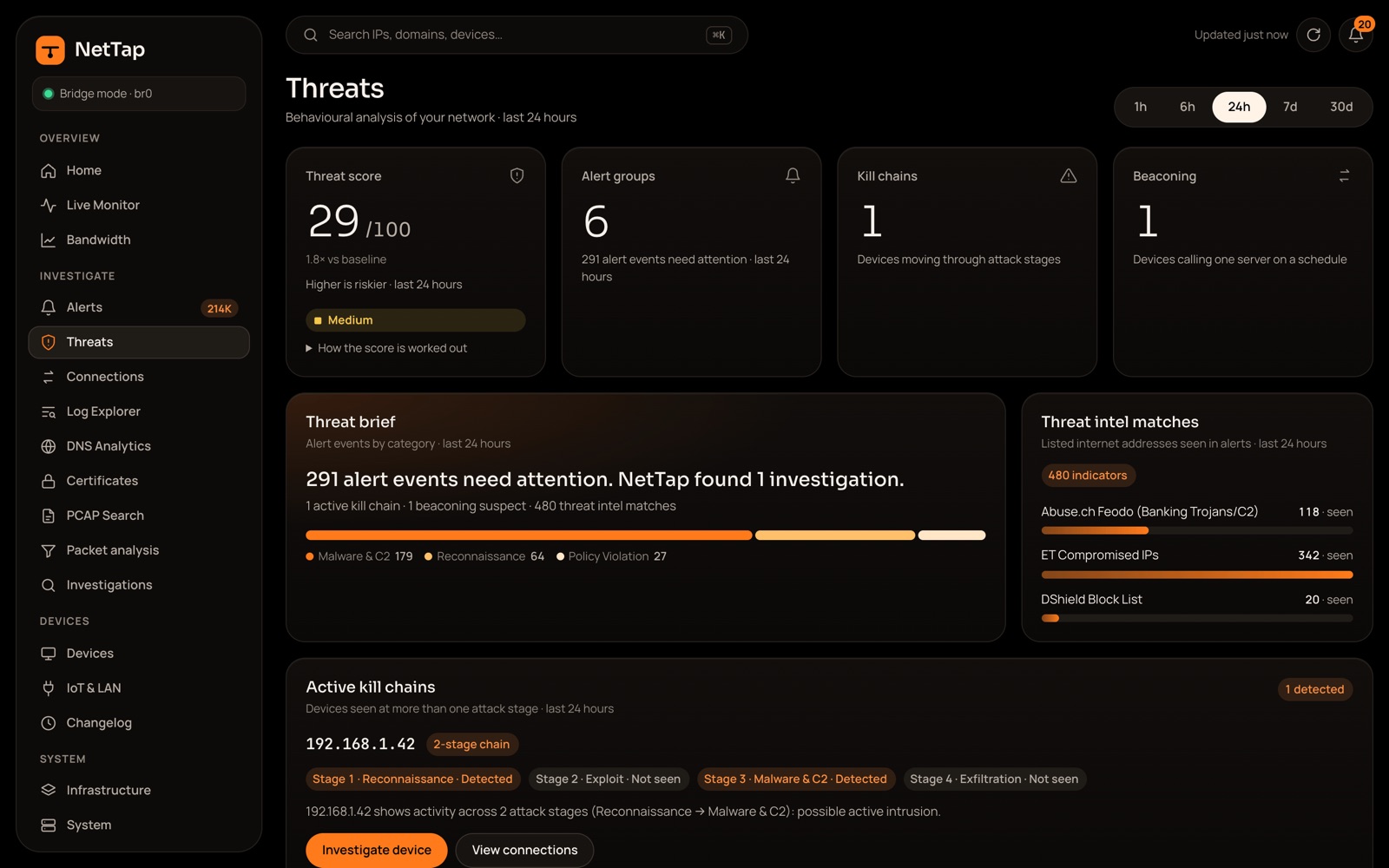
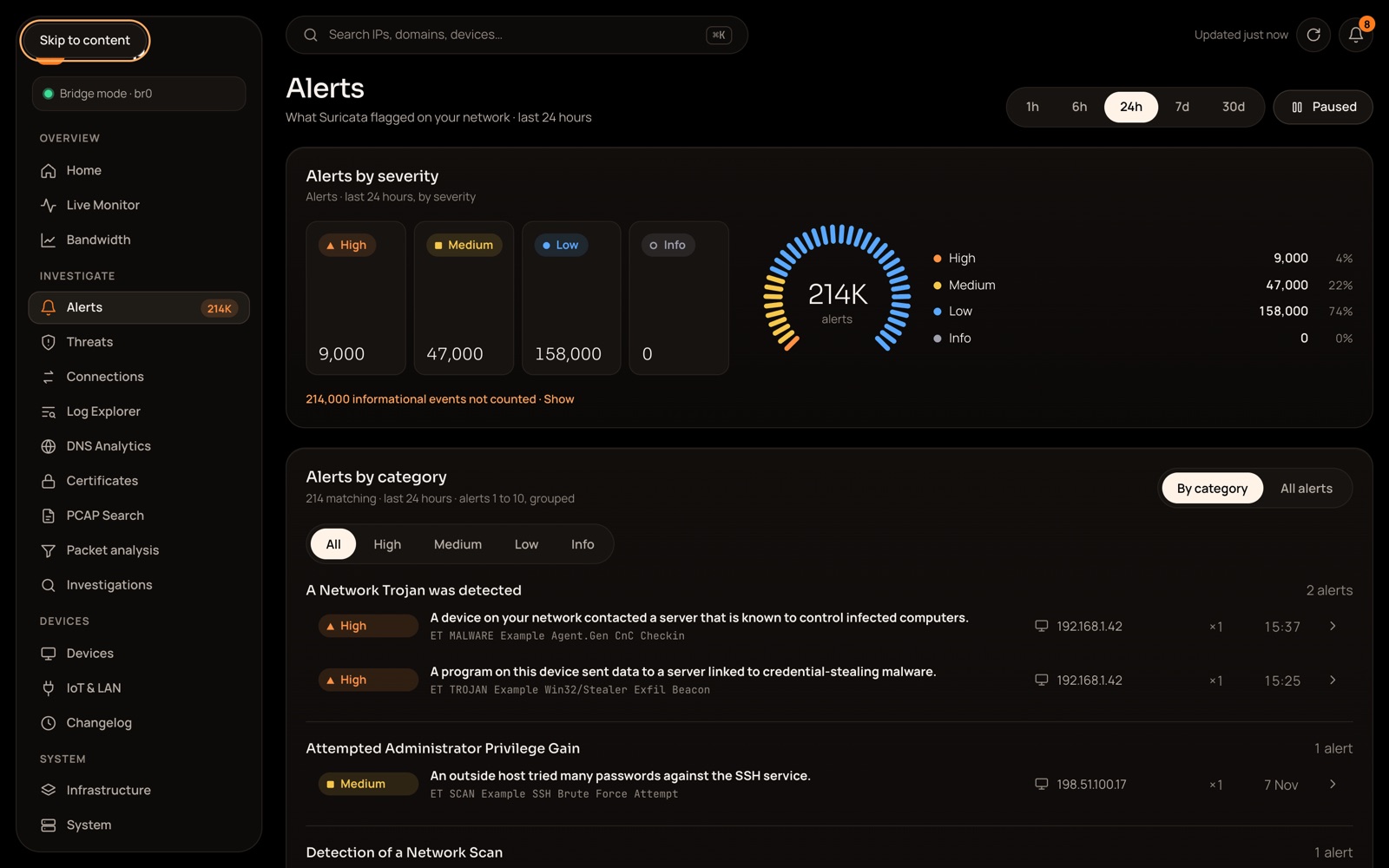
Alerts by severity
High, medium, low and info, on a timeline, by category or as one list, with the top signatures, devices and sources.
What happened, and what to do
Each alert opens with what happened, the risk in context and a recommendation, written for people rather than analysts.
13 alert categories
From credential abuse and malware to IoT anomalies, each mapped to MITRE ATT&CK techniques.
Suppress or mark false
One click hides a noisy alert or marks it as a false positive, from the list or the alert itself.
Activity kept apart
Informational rules, such as Tor, peer-to-peer or games, show as activity and stay out of totals and scores.
Threat score
One 0 to 100 number for the whole network, with a note on exactly how it is worked out.
Beaconing
Spots a device calling one server on a schedule, and ignores protocols that repeat by design.
DNS anomalies
Flags generated-looking names, DNS tunnelling and spikes of failed lookups.
Lateral movement
Device-to-device connections on admin services, where an intruder would move next.
Attack chains
Follows one device through reconnaissance, exploit, malware and data theft within 24 hours.
Automatic investigations
For critical alerts, NetTap gathers both hosts' profiles and seven days of their connections for you.
Known bad addresses
Addresses on Suricata's blocklist rules are flagged wherever they appear.
04 Detection
Rules that stay current.
Suricata with free, community-maintained rules, updated safely, and room for your own.
Four free rule sources
Emerging Threats Open, the abuse.ch SSL blacklist, Echap stalkerware and IPFire DBL.
Safe rule updates
Rules update when Suricata starts, every night and on demand. An update is kept only if Suricata loads it cleanly.
Emerging Threats Pro Optional Uses the internet
Add a Pro code and Suricata switches to ET Pro. The code is checked with Proofpoint, then stays on the box.
Your own rules
Write your own alert rules. NetTap checks them, then tests them on a throwaway copy of Suricata before loading them.
QUIC counted once
QUIC is identified as its own protocol, not counted twice as QUIC and TLS.
05 Traffic
Follow any conversation.
Search every connection, lookup and certificate, then move between devices, addresses and domains.
Connections
Every session, with a flow diagram from device to protocol to destination, filters, and the packets behind each one.
Log Explorer
Search Zeek's connection, DNS, HTTP, TLS, file, DHCP and SMTP logs and Suricata's alerts, then export to CSV.
DNS analytics
Lookups over time, the most-asked names, failed lookups and suspicious patterns, device by device.
Certificates
Finds unverified, expired and weak certificates, and your own devices' certificates that expire within 30 days.
Search from anywhere
Type an IP address, device, MAC address or domain in the top bar and go straight to its page.
Domain pages
Who looked a name up, what it resolved to, its secure sessions and any alerts.
Address pages
For any internet address: which of your devices talked to it, on which ports, and its location, network and owner.
Every IP is a shortcut
Right-click an address to copy it, look it up, ping it, trace it or see its alerts.
Investigations
Keep a case with a severity, tags, notes and a status from open to closed.
06 Packets
Down to the last byte.
NetTap keeps full packet captures, so you can always check what was actually sent.
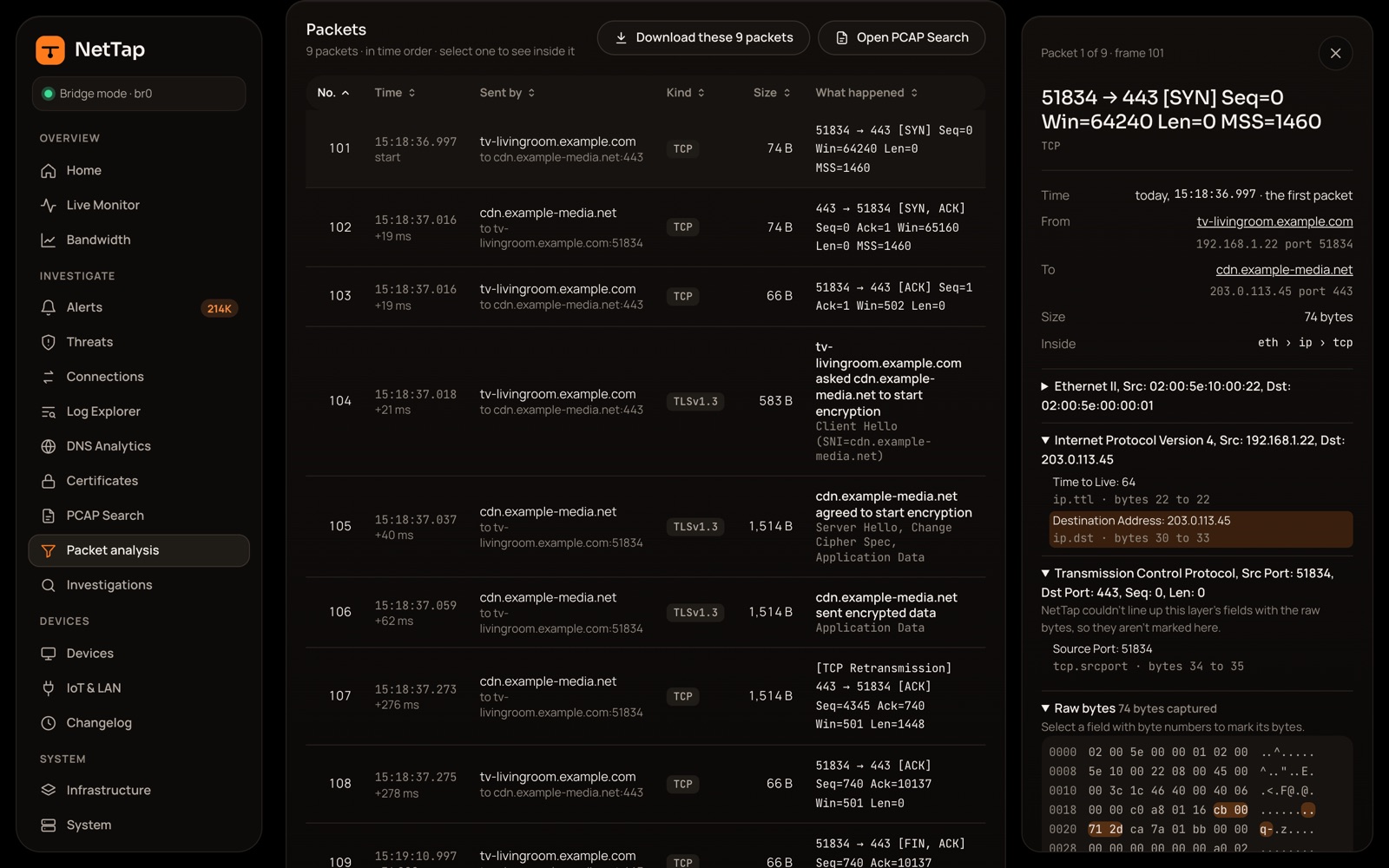
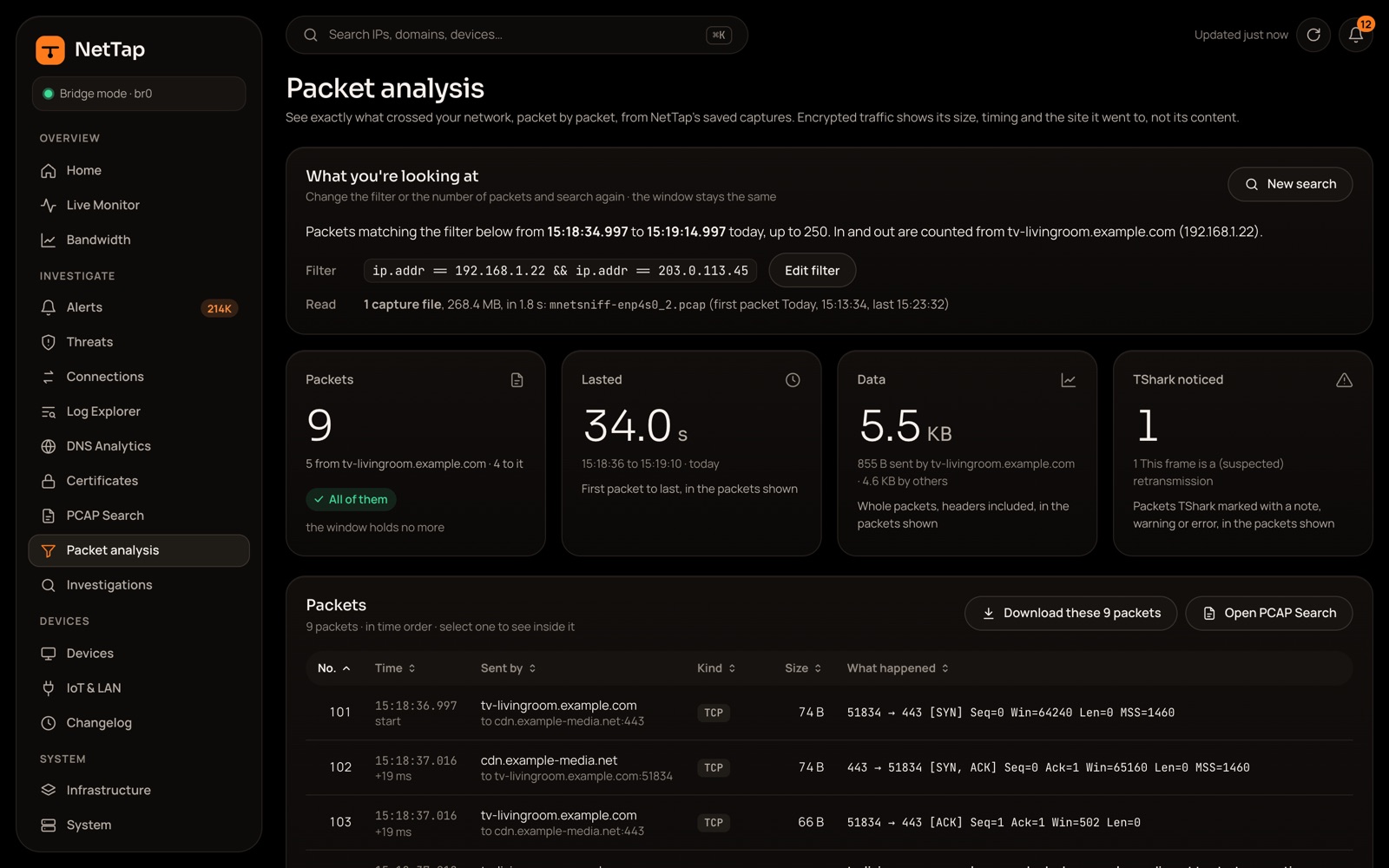
PCAP search
Search captures with a Wireshark display filter or six quick filters, preview a file and download what matches.
Ask a question
Pick a device, who it talked to, a port, the kind of traffic and when. NetTap writes the filter and finds the files.
37 ready-made filters
In 6 groups, from name lookups to logins and remote access, plus 5 common questions.
Layer by layer
Open a packet to see each decoded layer and its raw bytes.
The conversation over time
Charts show how a conversation unfolded and who sent what.
Take it with you
Download the packets you found and open them in Wireshark.
CyberChef built in
Encode, decode and pick apart data with CyberChef, running on the box.
Capture controls
Turn capture on or off and set the file size, from 10 MB to 10 GB.
07 Tools
14 tools on the box.
The network tools you would reach for anyway, built into the dashboard and run from NetTap.
Ping, traceroute and MTU
Check a host, trace the route to it and find the largest packet that gets through.
LAN speed test
Measure upload and download between NetTap and another device on your network running an iperf3 server.
DHCP lease timeline
Every DHCP exchange NetTap saw for a device, with a link to the packets.
DNS lookups and resolver check
See a name's records, and ask up to 6 resolvers the same question to check they agree.
Subnet calculator
Work out ranges and masks, right in your browser.
IPv6 toolkit
Any IPv6 address explained in plain English: its type, short and full forms, and the device part.
Port reference
A searchable list of well-known ports.
MAC vendor lookup
Name a device's maker from its network card, offline.
Certificate viewer
See the certificate any host presents: issuer, validity, names and fingerprint.
WHOIS, reverse DNS and GeoIP Uses the internet
Who owns an address, the name it answers to and where it is.
Base64 and hex
Convert between text, Base64 and hex in your browser.
08 Notifications
Hear about it, without the flood.
Get the alerts that matter where you already are, grouped so a noisy night stays readable.
Six ways to hear
Email, Discord, Slack, Telegram, Pushover or any webhook, including ntfy or Gotify on your own network.
Choose what reaches you
Pick a minimum severity for each channel: critical, high, medium or all.
No floods
Alerts are grouped into one digest a minute, retried if a send fails, and capped at 100 a day per channel.
Test it first
Send a test message and see the last 20 delivery attempts.
In-app bell
An unread count and the last 15 alerts, updated live.
Exports
CSV from Log Explorer, packet downloads and a settings backup file.
09 Storage and health
Looks after itself.
Sensible retention, a disk that never fills and a drive that is watched for wear.
Sensible retention
90 days of records, alerts included, and 30 days of packet captures, capped at a quarter of the disk. Change it in Settings.
Never fills the disk
Checked every 5 minutes: expired data goes at 80%, the oldest at 90%, and capture pauses at 95% until there is room.
Clean up with a preview
See exactly what will go, and how much space it frees, before anything is deleted.
SSD health
Reads the drive's temperature, wear and errors every hour, and warns before it wears out.
Hardware watchdog
If the box ever hangs, the watchdog reboots it.
Bridge bypass Bridge mode
In inline bridge mode, see the bridge's health and switch it to bypass.
10 Setup and updates
Up and running in an afternoon.
One installer, a guided setup and updates you can roll back.
One installer
Blinks each port's light so you can tell them apart, installs Docker and the tested Malcolm release, and prints a wiring diagram.
A setup code only you have
The installer prints a one-time code, so nobody else on your network can claim the box first.
Setup wizard
Checks the ports and disk, then walks you through capture mode, interfaces, storage, enrichment and your account.
Three ways to connect
A mirror port (recommended and tested), an inline bridge (advanced) or DHCP gateway (in development).
Guided go-live
A guided cable swap for the bridge, or a check and switch-over for DHCP gateway.
Updates from the dashboard Uses the internet
See versions, check for updates, update one part or all of them, roll back and read what's new.
Safe Malcolm updates
Only releases NetTap has tested. Your data is backed up first and the old version comes back if a step fails.
Backup and restore
Your settings, device names, pictures and suppressions in one file. Passwords and keys are left out.
UniFi integration Optional
Bring in device names, models and networks from your UniFi controller.
Three themes
Ember, Graphite and Spectrum, plus your default time range.
11 Privacy
Yours, and only yours.
Your network data never leaves the box, and the few things that touch the internet are listed below.
No cloud, no account, no subscription
Your traffic stays on the box. Nothing is sent home and there is no telemetry.
What does use the internet
Update checks, rule downloads and WHOIS lookups, plus the optional ET Pro and location checks and any notification channels you set up.
One admin sign-in
Every page sits behind your login, with strong password hashing and a lockout after failed attempts.
HTTPS on your network
The dashboard is served at nettap.local over HTTPS with its own certificate, which your browser asks you to trust once.
Reports, never blocks
NetTap tells you about suspicious traffic. It doesn't block it.
Leave addresses out
Hide chosen addresses from device views. They stay in logs and alerts.
Good to know
What NetTap can't see
NetTap reads traffic, it doesn't break encryption. These are the honest limits.
- Encrypted DNS lookups (DNS over HTTPS or TLS) can't be read.
- Certificates are visible for TLS 1.2 and older. TLS 1.3 encrypts them.
- Packet analysis looks at up to 30 minutes at a time.
- Live bandwidth per device works in mirror mode only.
- In inline bridge mode, devices behind your router appear as the router's address.
- NetTap is pre-release. DHCP gateway mode is still being tested on hardware.

Find out what your network is really doing.
Free, open source and yours to run. Set it up in an afternoon.